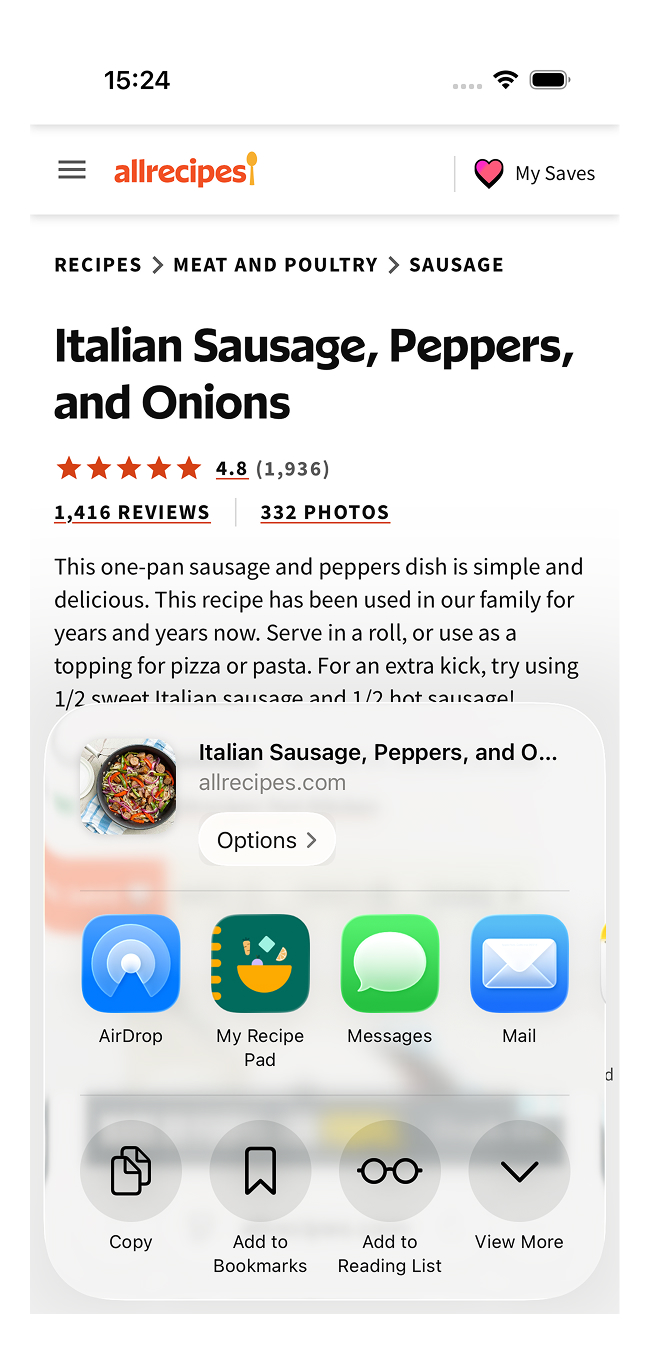
Add to share sheet
My Recipe Pad integrates with the iOS Share Sheet, so you can import recipes directly from Safari or any other app easily. Adding it as a shortcut makes saving recipes a one-tap action.
Open Safari
Open Safari and navigate to any webpage. Tap the Share icon at the bottom of the screen.
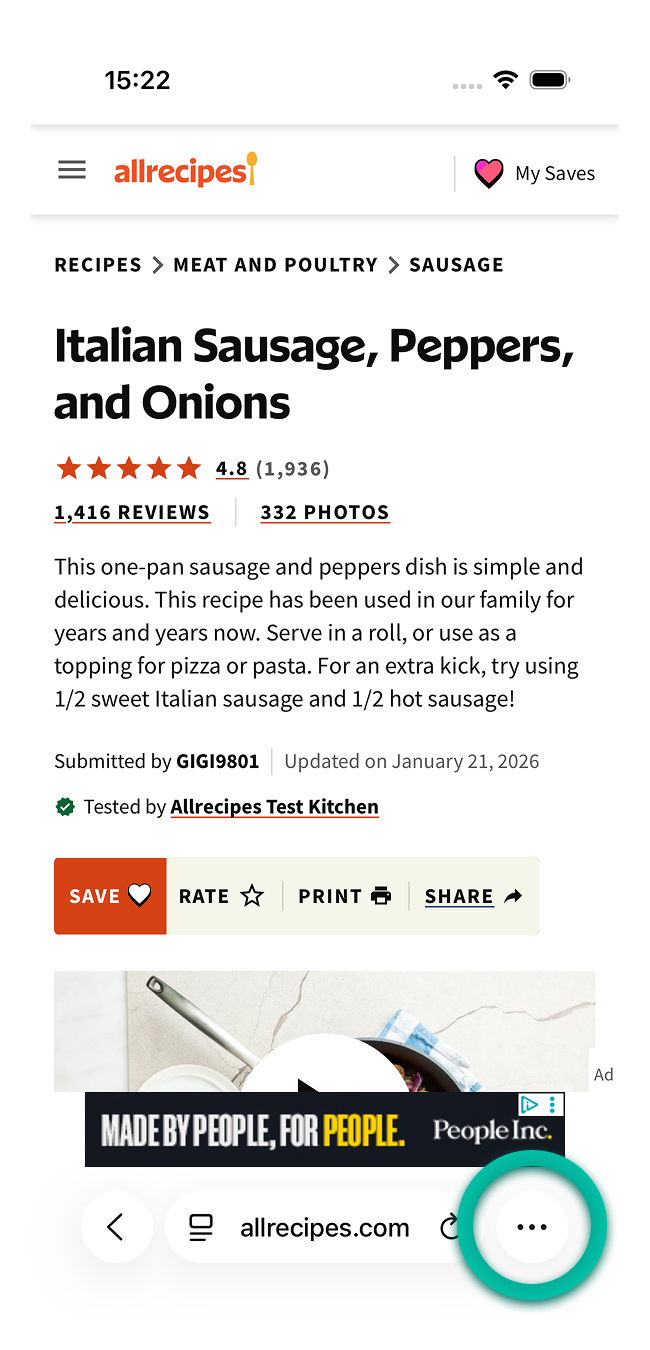
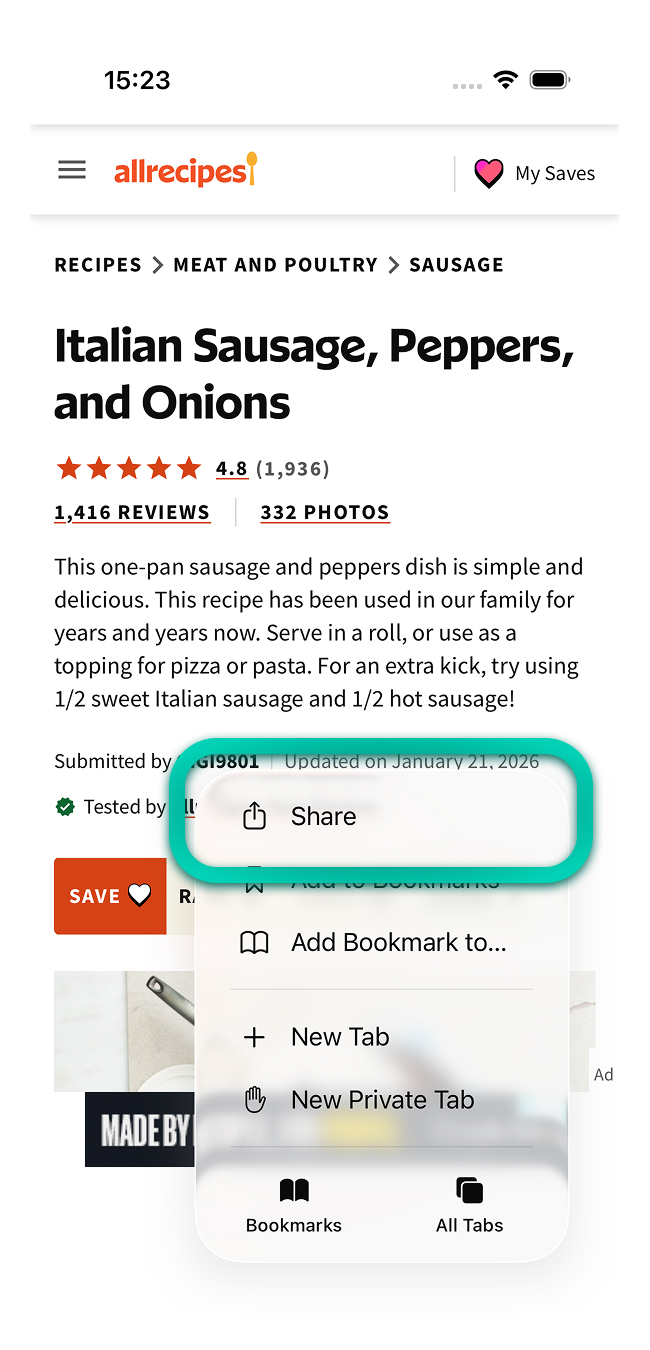
Open the edit share sheet menu
Scroll all the way to the right side in the list of apps and tap More.
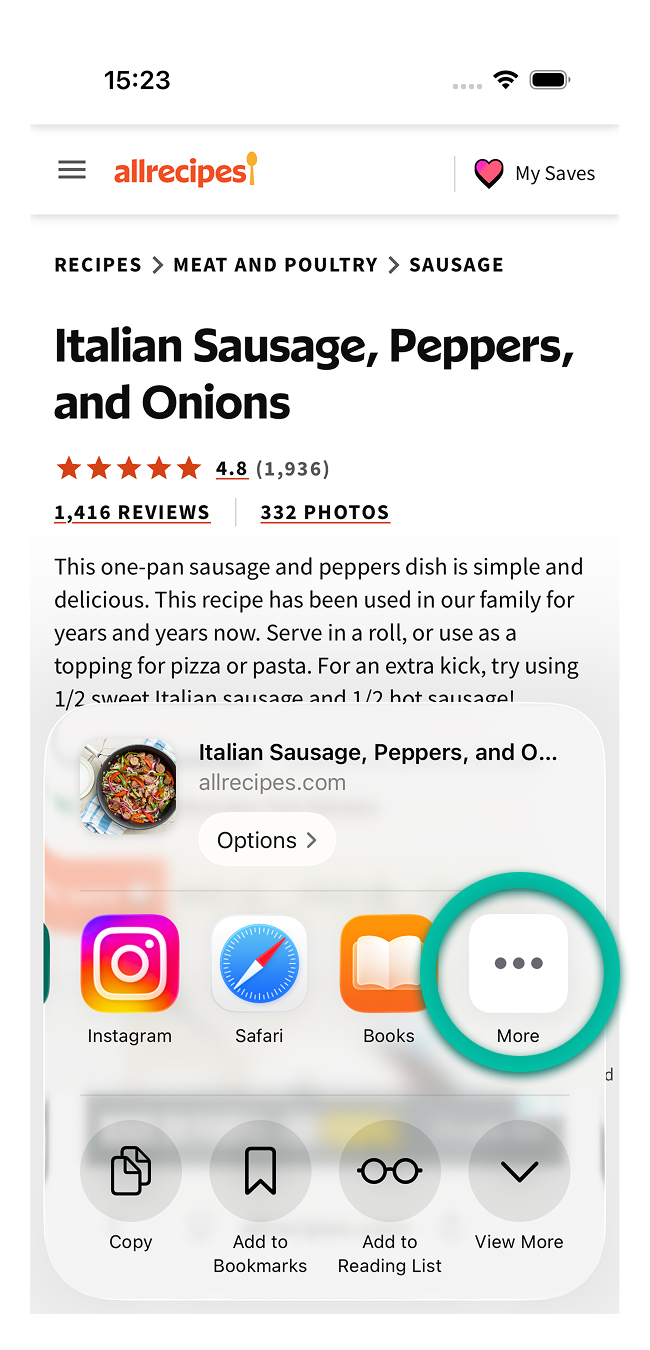
Add My Recipe Pad
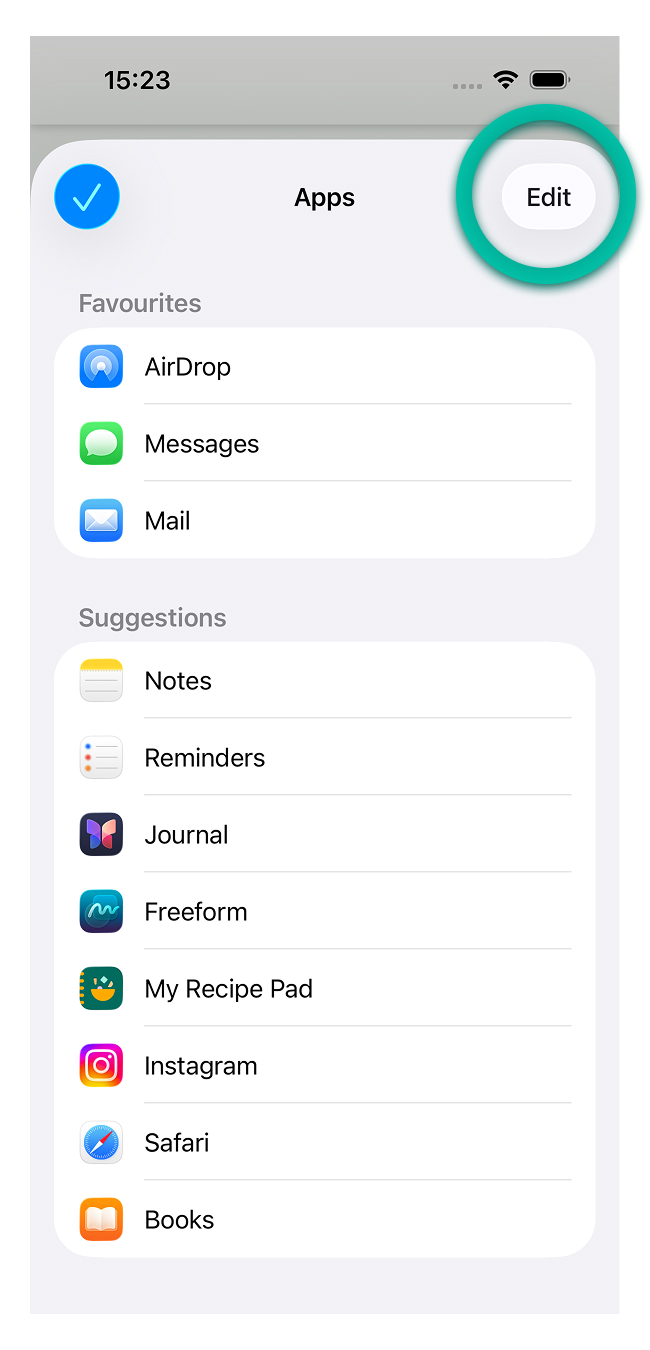
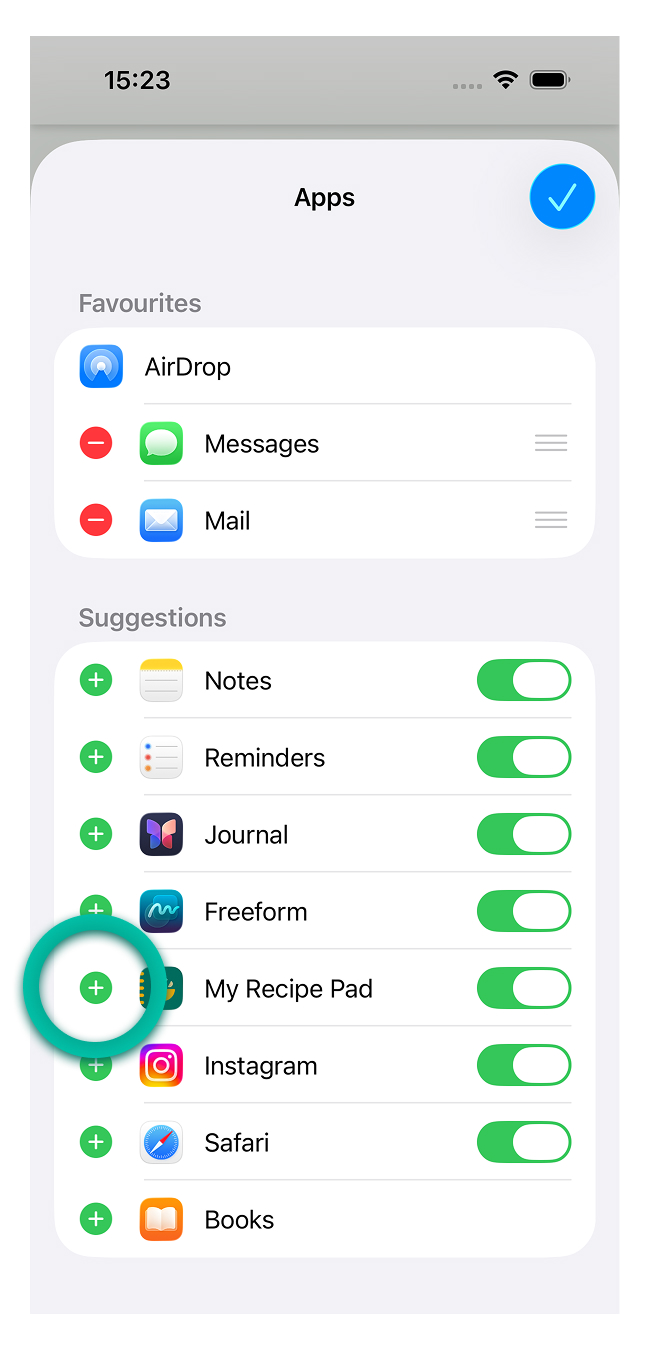
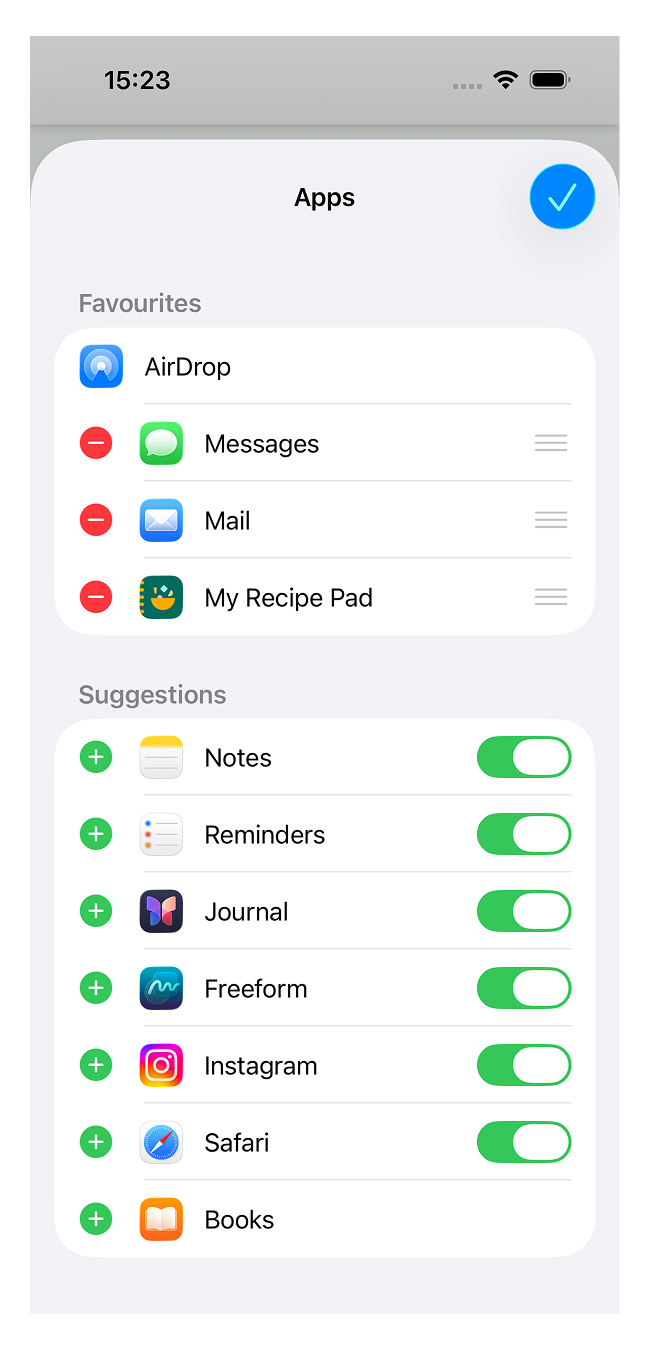
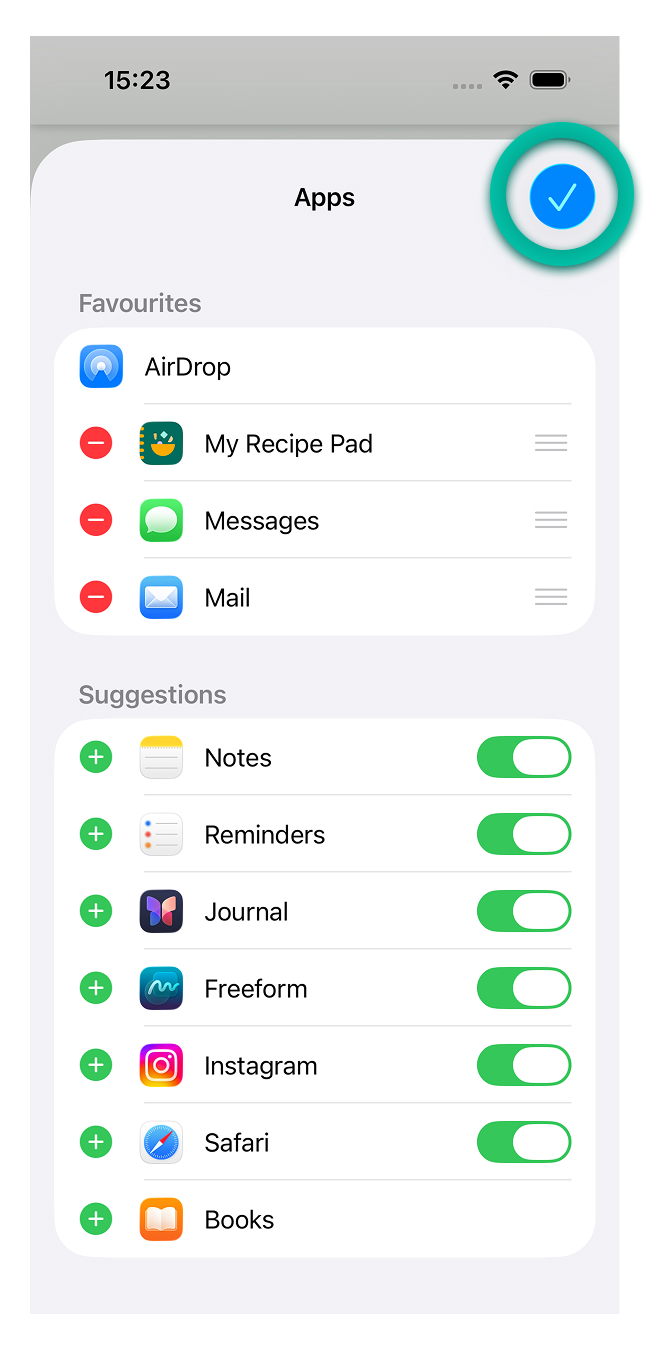
Tap Edit and scroll down to find My Recipe Pad in the list of apps. Tap the green + button to add My Recipe Pad to the favorites list.
Edit order
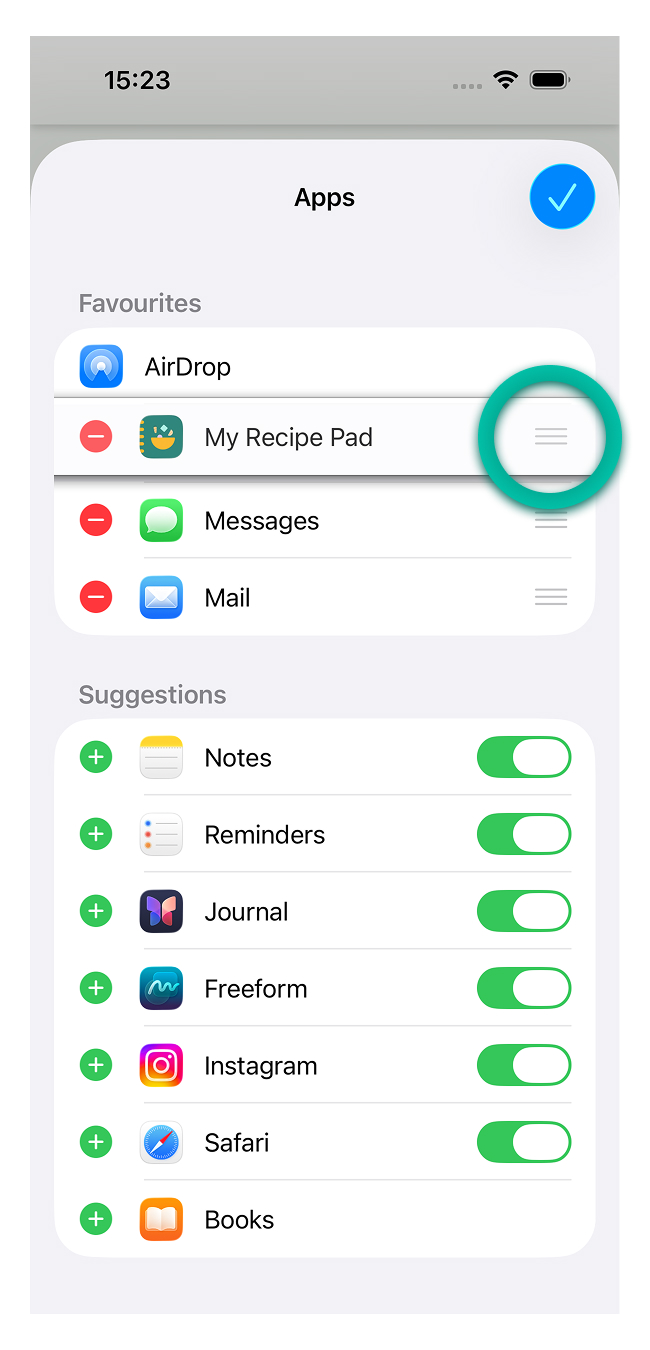
You can also reorder your favorite apps by holding and dragging My Recipe Pad to the desired position.
Save and finish
Now you can save your changes. Tap the top right checkmark to exit edit mode, then the top left checkmark to close the screen.
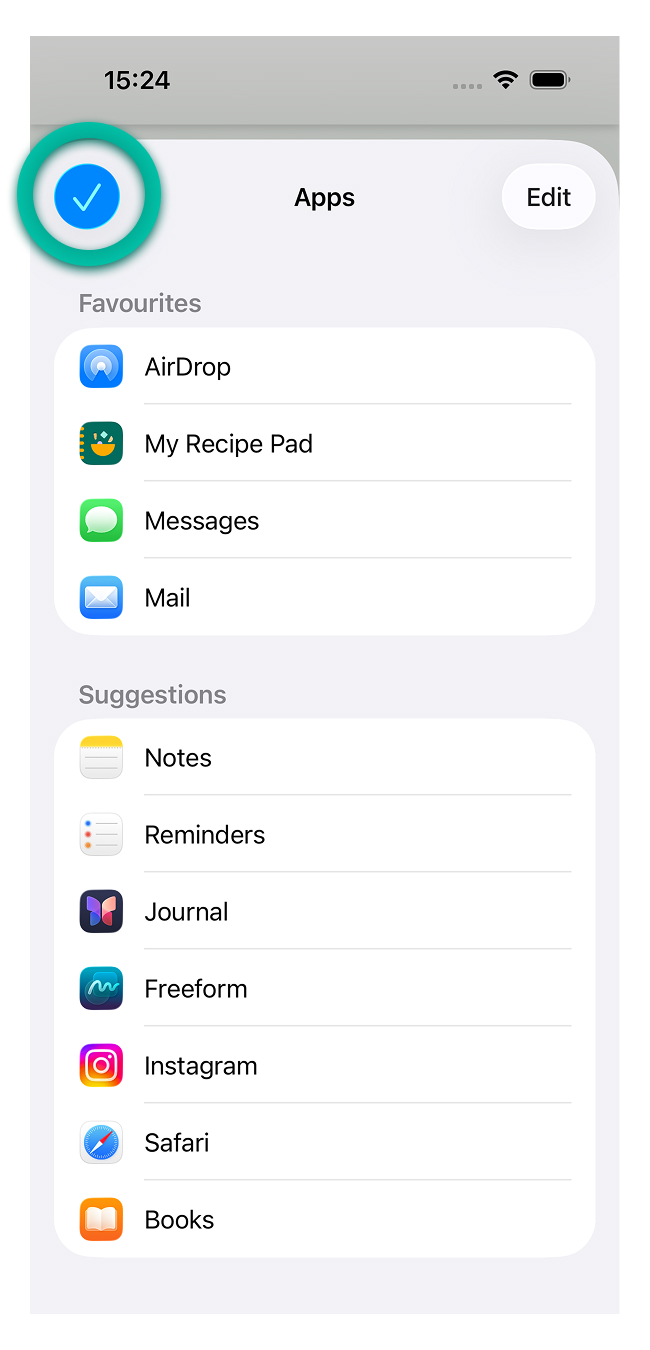
You now have My Recipe Pad easily accessible!