Import from Instagram
You can save recipes shared on Instagram directly to My Recipe Pad. When you see a recipe use the share option to send it to the app.
Tap share
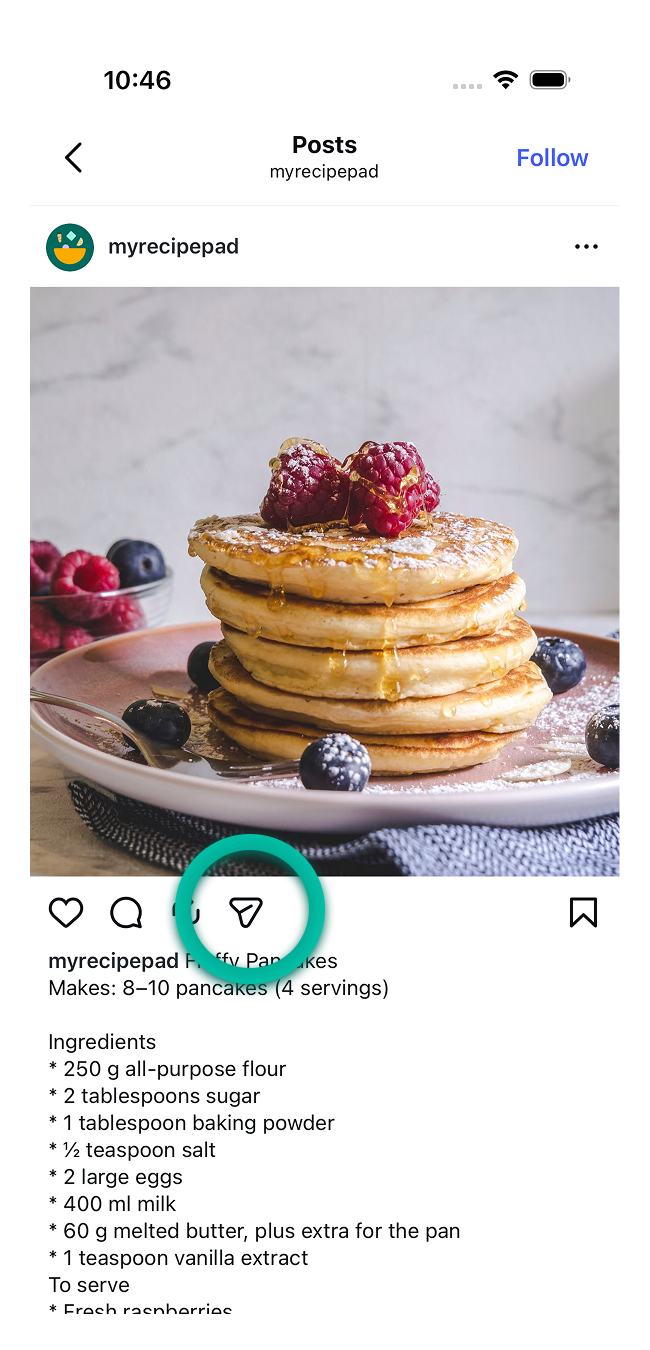
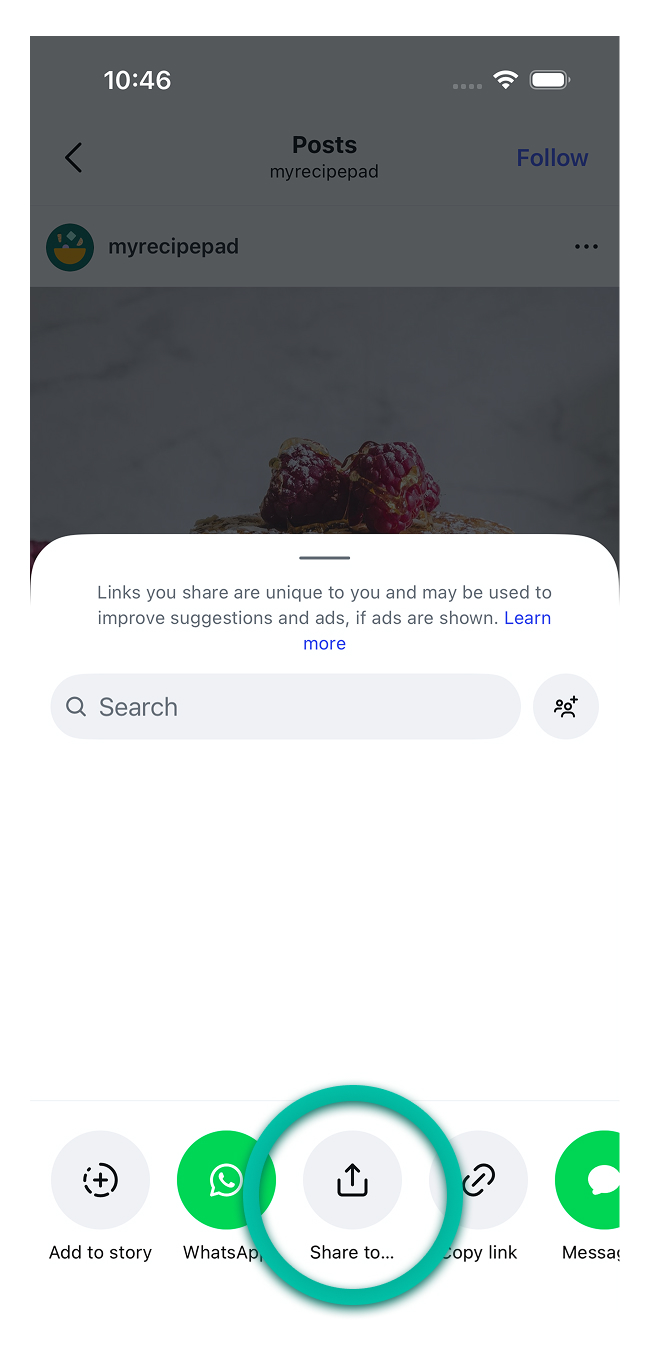
In Instagram, when viewing a recipe you would like to import, tap the Send button, then Share to.
Select My Recipe Pad
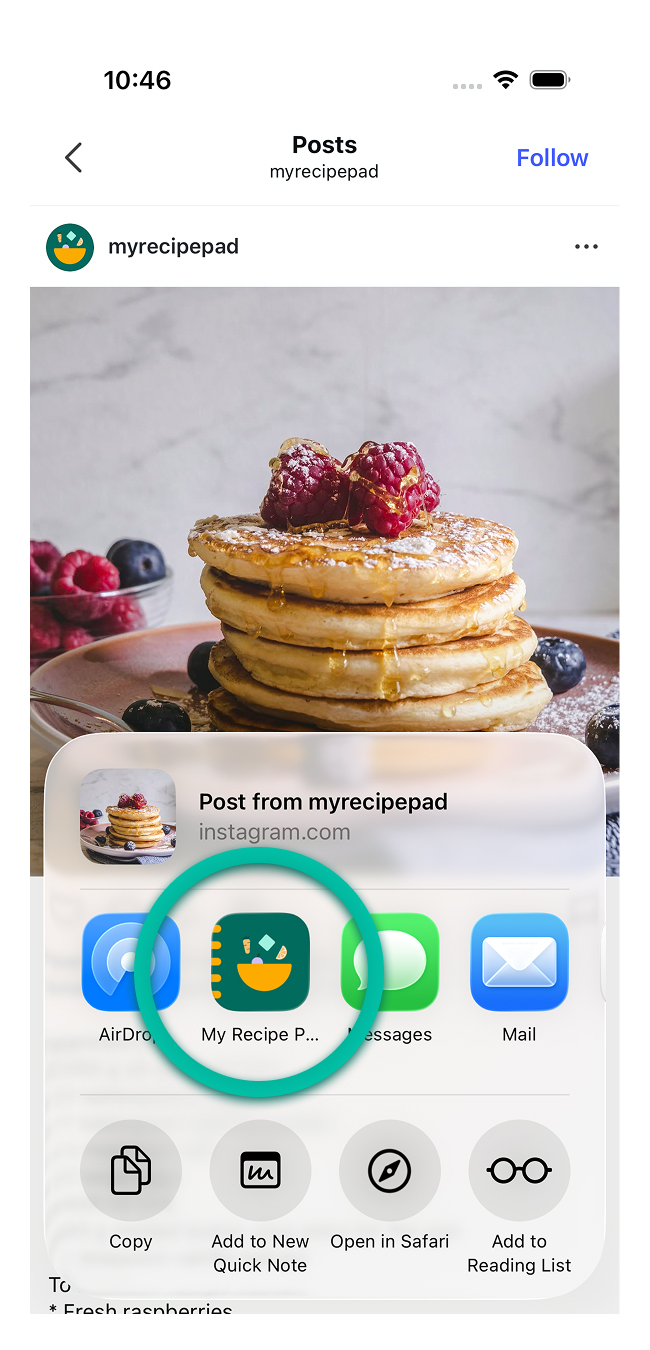
Scroll to find My Recipe Pad in the share sheet menu and tap.
Import starts
Tapping My Recipe Pad will automatically start the import. When it is done you can choose to save it to your library.
tip
If you want easier access in the share sheet, see Add to share sheet.
note
Recipes you import from Instagram must contain the recipe content in the caption.